
content
There’s a moment most business owners go through quietly, alone with a Google Ads dashboard. The campaigns have been running for a few months. Money is being spent. There’s some traffic. And then someone on the team asks: “Is this actually working?” — and there’s no clean answer. Not because there are no results. Because nobody knows how to measure them.
It happens earlier or later for almost everyone running paid ads without a big structure around them. And it’s not a competence problem. It’s a system problem. Or rather, the absence of one.
This piece is for people managing their own advertising — or doing it with a small team — who want to understand what to check, why things go sideways, and where money actually disappears. No agency jargon. Real examples.
It’s also part of the Advantrise blog on paid search — where we try to write about PPC the way it rarely gets written about: without promises, and with actual numbers.
The moment it stops feeling simple
Take a small store selling bright hamster collars. Yes, that’s a real business. Specific audience, specific product, decent margins on paper.
The owner runs Shopping campaigns, spends $800 a month, and the dashboard shows ROAS of 320%. Looks fine. Better than fine, actually.
But look closer: most of that spend is going to branded queries — people who already know the store and were going to buy anyway. New customers cost $34 to acquire. Average order value is $19. Margin is 40%.
Every new customer costs nearly twice what they make on the first purchase.
ROAS 320%, and the business is losing money on acquisition.
This isn’t a hypothetical. It’s what happens when an ad account gets evaluated on platform metrics instead of business logic. The dashboard isn’t lying — it’s just not answering the right question.
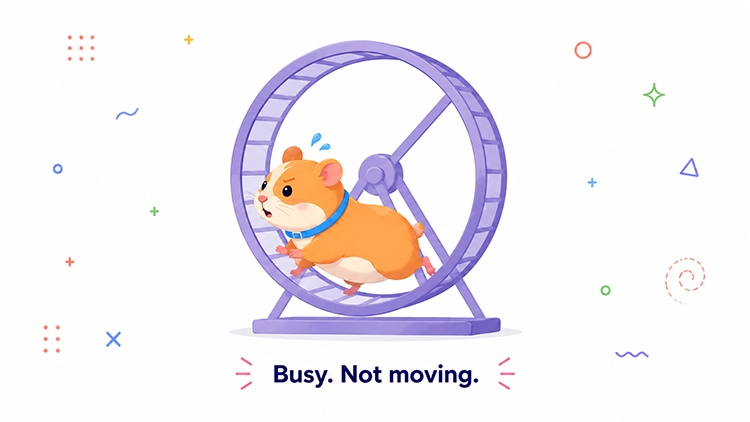
The numbers that matter before anything else
You don’t need to know every match type or bid strategy nuance to run PPC well. But there are a few numbers that, without them, any sense of control is more or less imaginary.
Your maximum allowable CPA. What can one new customer actually cost before the business stops being profitable? Not “what does Google show right now” — what can you afford given your margins and average order value. This number needs to exist before you open the account, not after you’ve been spending for three months.
What the system counts as a conversion. This question sounds obvious, which is exactly why it often goes unanswered. If the account is firing a “viewed page for 30+ seconds” or “clicked phone number” event as a conversion, the algorithm is optimizing for page-readers and phone-tappers, not buyers. You can spend months chasing a metric that has nothing to do with revenue.
The difference between ROAS and margin. A 500% ROAS on a product with 15% margins is a loss. The platform has no idea and doesn’t care. Someone needs to do that math — and if it isn’t happening on your end, the bill tends to arrive quietly, in the form of a month that just felt off.
None of this requires platform expertise. It requires knowing your own business.
Why “working” and “profitable” are two different things
There’s a trap that gets set very neatly and very quietly. It’s called the brand campaign.
A small yoga studio in Brooklyn runs ads. Non-branded campaigns perform okay — $28 per trial class signup. The branded campaign looks incredible: $4 per conversion, strong CTR, healthy impression share.
The overall account ROAS looks great. Everyone’s happy with the numbers.
Except the people searching for that studio by name were already coming. They knew it existed. The ad just intercepted them on the way and charged $4 for the privilege.
Brand campaigns can be worth running — sometimes competitors are bidding on your name, sometimes you want control over the creative. But they should never be mixed into the same performance report as non-branded campaigns. When they are, the account looks better than it is. The brand numbers carry the non-brand numbers, and nobody notices until the budget doubles and the new customer count doesn’t move.
One question worth asking right now: if you strip out all branded conversions, what does the account look like?

A 40-minute weekly check that prevents most disasters
Most problems in ad accounts aren’t sudden. They accumulate over weeks while nobody looks. Then someone notices the budget went up and the sales didn’t.
There’s a simple rhythm that doesn’t require deep expertise and takes about 40 minutes a week. Not every day — that’s counterproductive, because the algorithms need stability and constant changes reset their learning. But once a week is enough to catch most things before they become expensive.
Budget and spend. Any campaigns that accelerated or stopped unexpectedly? Any account hitting its monthly cap too early?
Conversions. Are they being recorded at all? A sharp drop with no obvious cause is almost always either broken tracking or a site problem — not something to wait out.
Search terms. What actual queries are triggering your ads? Even well-structured accounts accumulate irrelevant traffic over time. Five minutes in the search terms report each week is one of the highest-leverage things you can do without touching a single campaign setting – and it’s a core part of any serious Google Ads management routine.
Landing pages. Is the ad sending people where it should? Especially if anything changed on the site recently.
Campaigns with big swings. Where did spend or conversions move most in the past week? A shift isn’t a verdict — but it’s a signal worth looking at.
This doesn’t replace a proper audit. But it means a serious problem won’t go unnoticed for two months while the budget quietly drains.
Google’s recommendations are not your strategy
Google Ads surfaces recommendations constantly, each one paired with an account score that goes up when you accept and down when you don’t. From the platform’s perspective, this is elegant design.
From a business owner’s perspective, it’s worth treating with a degree of skepticism.
Google doesn’t know your margins. Doesn’t know a product is out of stock. Doesn’t know you’ve deliberately excluded certain regions or audiences. A “increase budget” recommendation can appear in the same week you’re cutting costs. A “expand targeting” suggestion can show up when your customer profile is deliberately narrow.
One specific thing worth checking: auto-apply recommendations. If this feature is enabled, Google can adjust bids, add keywords, or change budget pacing without any confirmation. Quietly, between your weekly check-ins.
Recommendations are suggestions. Some of them are genuinely useful. None of them know your business better than you do.

The problem is often not where you’re looking
The owner of a small organic pet food store was spending $2,000 a month on Shopping campaigns. Click-through rates looked normal. Cost per click was reasonable. Conversions were under one percent.
The account itself checked out fine. The problem was in the product feed: half the items had outdated prices from a promotion that had ended weeks earlier. The ad showed $12.99. The site said $18.99. The visitor left.
This happens more often than it should. A campaign can run correctly in every technical sense and still send people to a page that doesn’t deliver what the ad promised. A slow mobile site. A form that breaks in Safari. A product listed as available when it isn’t. A price mismatch between the feed and the storefront.
None of this shows up in the Ads interface. The account shows spend and clicks. What happens after the click is a different question — and often the more important one.
Before assuming the account is the problem, it’s worth checking what the experience looks like on the other side of it.
Three modes: fix, pause, or ask
Not every situation calls for the same response. Getting this wrong — treating a “pause” situation like a “fix” one, or pushing through when it’s time to ask — tends to be expensive.
Fix is for problems that are specific and localized. Irrelevant search terms piling up, broken conversion tracking, a landing page that stopped matching the ad. There’s a clear action and a predictable outcome.
Pause is for when spend is going out and there’s no meaningful signal coming back. No conversions, no micro-conversions, no plausible explanation. Pausing isn’t giving up — it’s stopping the outflow while you figure out where the leak is.
Ask is for when there’s no real confidence in whether the tracking is right, whether the account structure makes sense, or whether the numbers being watched are actually the right numbers. This isn’t a moment for more experimentation.
Most businesses without agency support get stuck cycling between Fix and Pause — changing something, waiting a few days, changing it again. Without a clear sense of what to evaluate and over what time horizon, that cycle can run for a very long time.
Before you spend more
When ads aren’t performing, the instinct is often to increase budget. More impressions, more chances. The logic makes sense. The problem is that if there are underlying issues, more budget doesn’t fix them. It scales them.
A few things worth confirming before adding spend or launching new campaigns:
Conversion tracking is recording what actually matters — not just a checkmark in the account, but a real confirmation that the right events are firing, without duplication.
Search terms don’t have a systemic junk problem — if irrelevant queries show up every week, scaling will just spend more on them.
Brand campaigns are being analyzed separately — overall account ROAS is not a measure of non-brand campaign performance.
Landing pages match the ads — especially if anything on the site has changed recently.
There’s a real CPA target based on margins — not what Google suggests, but what the business can actually sustain.
The product feed is current — for Shopping campaigns especially. Feed errors are often invisible in the Ads interface but have a direct effect on what gets shown and where.
An honest note before you decide what to do next
Everything in this piece can be done without an agency. Some businesses run their own ads for years and do it well — because they’ve built the discipline and they know their numbers.
But a few things are worth saying plainly.
Running ads yourself costs time. Not just the 40 minutes a week — also the time to figure out what went wrong when something does, the time to trace where the budget is leaking, the time to work out whether a drop in conversions is a tracking issue or a real one. That time has a value, and sometimes it’s higher than what an outside perspective would cost.
There’s also the question of blind spots. Structural problems in an account, tracking that’s been subtly wrong for months, the habit of watching the same metrics without noticing what’s sitting next to them — these tend to be visible much faster to someone looking at the account for the first time.
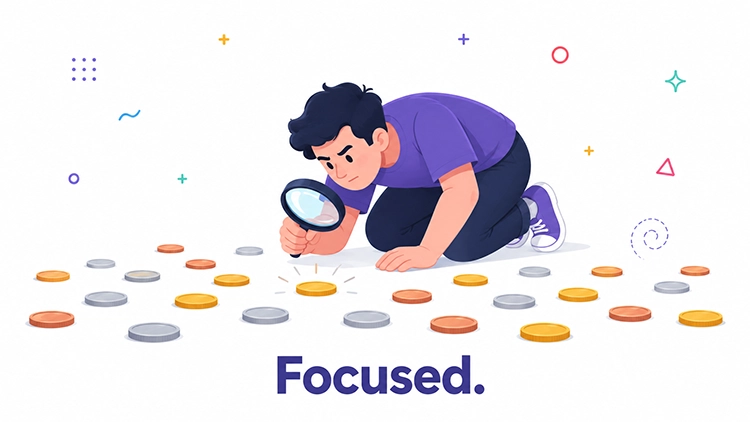
An agency isn’t always necessary. But if budget is growing and there’s no real confidence in what the data is showing, that’s not a preference question anymore. It’s a risk question. And often the cheapest next step isn’t another week of testing — it’s a short, independent audit that either confirms things are fine or shows exactly where they aren’t.
If any of this sounds like your situation— Advantrise can take a look at the account and tell you where the most is being lost.
Subscribe to our newsletter