
content
Imagine a typical situation: organic traffic exists, but the growth graph is moving too slowly. PPC gets more expensive every month. The business owner wants clarity: “What is wrong with the site?”
Often, the first thought is to order a deep technical audit of 50 pages. That is useful, but it takes a long time. The truth is that 80% of the problems stealing your money are hiding in plain sight. A focused SEO audit surfaces these issues faster than a full technical review – and fixes them in the right order.
This guide is not a replacement for a full strategy, but rather a “first aid” kit. In 60 minutes, using minimal tools, we will find the critical errors that are slowing down sales today.
Preparation: Focus on the money
The main mistake beginners make is trying to check the entire site at once. Do not do this. You do not need to audit the “News” section from 2018 right now.
For an express audit, you need a list of what actually generates revenue. Open Google Search Console (GSC) and Google Analytics 4 (GA4) and identify your top five categories and top ten products.
We will check exactly these pages. If problems exist here, they likely exist everywhere. But you must fix the “engines” of your sales first.
Step 1. Indexing and “Junk” Pages
Google does not like it when you force it to crawl trash. If your crawl budget is spent on useless pages, your important categories simply won’t get the attention they need.
Perform a quick test by typing site:your-domain.com into Google search.
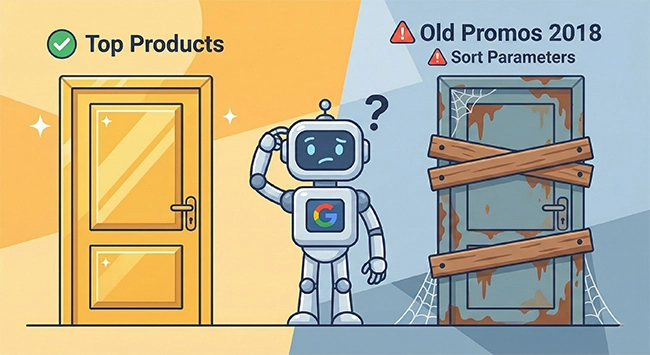
Look at the results critically. You might see internal search result pages, technical sort parameters like ?sort=price_asc, or old promo pages for “Black Friday 2023.” This is called Index Bloat.
Make a note of any URL types that do not belong in search results. These are your first candidates for blocking via meta robots tags or your robots.txt file.
Step 2. Search Console: Where Google Stumbles
Open the Pages report in GSC. Do not be intimidated by the charts; look for the reasons why pages are not being indexed. We are interested in two specific statuses.
The first is Discovered – currently not indexed. This means Google found the page but decided not to even waste time downloading it. This often signals that your server is overloaded or Google assumes the content is low quality “on arrival.”
The second is Crawled – currently not indexed. Here, Google visited, looked, and decided it was not worth the index space. This is a strong signal for duplicates, empty pages, or content that creates a poor user experience.
Finally, check your Sitemap. If your sitemap lists 50,000 URLs but only 500 bring in traffic, you have a priority problem. Your goal is to list the most common error reasons you see here.
Step 3. Categories: Can the Page Actually Sell?
Open one of your top revenue-generating categories and pretend you are a shopper visiting for the first time.
Start with a “10-Second Check.” Is the H1 clear, and do you understand instantly what is being sold? Next, look at the filters. Remember that filters are for people, while the index is for demand. If the filtering experience is broken, users will leave.
Then, look for trust signals. You should see information about shipping, warranties, and returns before you even scroll to the footer. A category should never be a dead end; it must be a hub that leads the customer to subcategories or helpful guides.
Step 4. Product Pages: Where Purchases Get Lost
Go to a product card and look for barriers preventing a sale.
First, check the basics: price, availability, and the “Buy” button. It sounds obvious, but sometimes pop-ups or layout shifts cover the “Buy” button on mobile screens.
Next, test the product variants. If you have a t-shirt in five colors, does the URL change when you switch colors? If it does, you need to ensure canonical tags are pointing to a main version. Without them, you are creating nearly identical pages that compete with each other in search results.
If a page has traffic but no sales, test the speed and ensure the order form actually works.

Step 5. Technical Hygiene
These are quick checks that often yield the biggest impact on revenue.
Start by looking for 404 Errors. Broken internal links are leaks through which your site’s authority drains away. Next, check for Redirect Chains. If page A leads to B, and B leads to C, it slows down loading and confuses search engines.
Finally, do a strict Mobile-First check. Pick up your phone, try to filter products, and put one in the cart. Most audits are done on desktop, but most purchases happen on mobile. If it is hard to tap a button with your thumb, you are losing money.
How to Compile Conclusions for the Business Owner
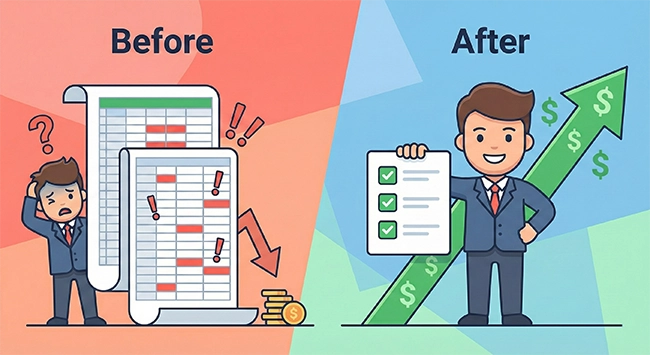
Do not send the owner—or yourself—an Excel sheet full of errors. That rarely leads to action.
Instead, write a short summary divided into three blocks: Indexing, Content, and Technical Friction. Frame your findings in terms of consequences, not terminology. Instead of saying “fix 404s,” say “recover lost customers.”
Divide your tasks into “Quick Wins” (7 days) and “Strategic Fixes” (30 days).
Conclusion
These 60 minutes will save you months of wandering in the dark. A fast audit provides the most important thing: clarity.
Run through this process this evening. You will be surprised at how many non-obvious “brakes” you find on your site.
If you need to turn this list into a systemic work plan where SEO and PPC operate as a single mechanism, it is better to do it with a team of professionals. Advantrise can help you set up processes so that the audit turns into sustainable revenue growth.
Subscribe to our newsletter