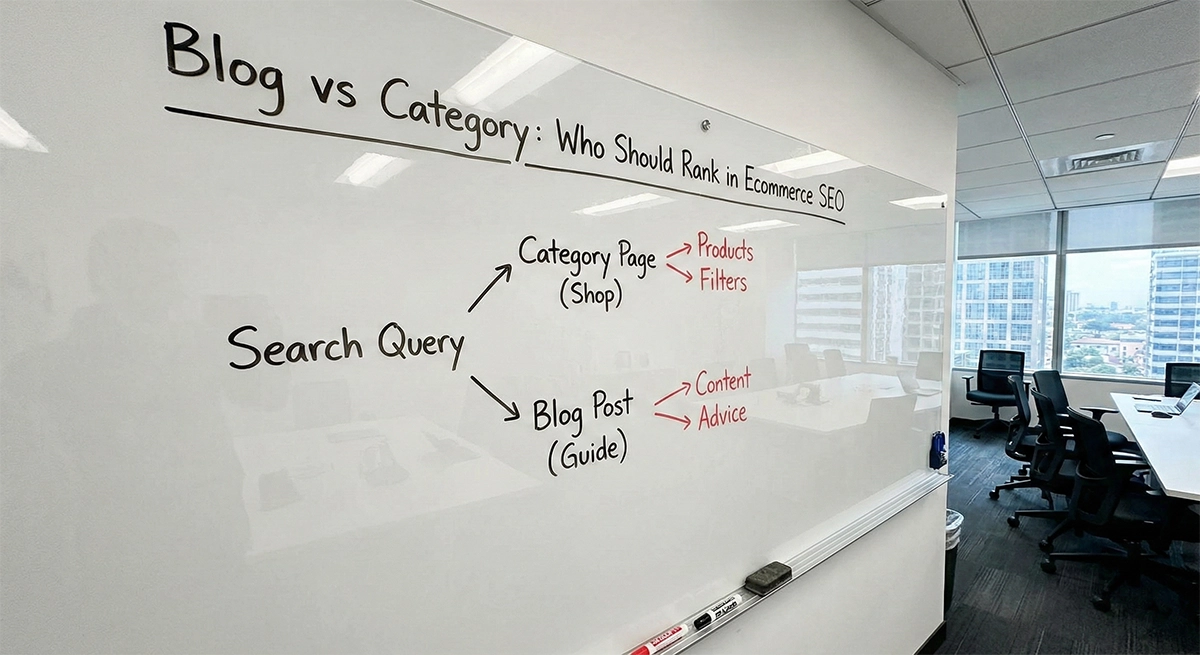
content
Most eCommerce teams don’t ignore internal linking. They’ve got it covered – or so it seems: a navigation menu, breadcrumbs, a related products block, a handful of links scattered across a few blog posts. The problem is that’s not a system. That’s a collection of parts sitting next to each other by accident.
The nav menu got added during the build. The platform auto-generates related products based on whatever logic it shipped with. Someone dropped a link in a blog post back in 2022. Boxes ticked, task closed. But category pages aren’t moving, new collections often take far longer to gain organic visibility than they should, and the blog runs its own quiet life without ever pulling a single revenue-driving page upward.
In real eCommerce audits, this problem shows up again and again: authority does not spread evenly across a site. The homepage and three to five top categories hold their ground. Everything else — subcategories, new arrivals, seasonal collections, filtered pages — exists in a kind of crawl twilight where Google shows up infrequently and doesn’t stay long. Fixing this is one of the highest-leverage tasks in eCommerce SEO – it doesn’t require new content or backlinks, just a more deliberate connection between pages that already exist.
On the Advantrise blog, we look at eCommerce SEO through systems, not isolated fixes. This guide follows the same logic: which pages should link to what, why it matters, and how to make it happen as part of your editorial process, not as a one-time audit that produces a spreadsheet nobody acts on.
What internal linking actually does – and why the PageRank explanation leads you astray
To fix this, you first need to stop thinking about internal linking purely as a PageRank game.
Most explanations start there. “Link equity,” “authority flow,” “link juice” — and then the reader either glazes over or goes off to run a Screaming Frog crawl without knowing what they’re looking for. The concepts aren’t wrong. But when you think about internal linking through the lens of “passing weight,” you end up doing the wrong things: counting links, balancing equity across a spreadsheet, drawing graph diagrams — instead of solving the actual problems that are holding your rankings back.
In eCommerce, internal linking solves three concrete problems.
Visibility. Googlebot isn’t infinite. In large catalogs, it stops at a certain depth and turns around. Crawl budget isn’t just a concern for sites with millions of pages — even a store with 5,000 to 10,000 URLs feels it. If a new category or product page isn’t connected to other pages through links, the bot may only find it through your sitemap. But a sitemap is a hint, not a guarantee — it isn’t a substitute for a crawlable internal architecture, and pages discovered only through sitemap tend to get revisited less predictably than pages found through in-content links.
Authority concentration. External links pointing to your site mostly land on the homepage and a few popular pieces of content. That authority doesn’t spread by itself — it stays where it lands unless you build a way to distribute it internally. The result: category and product pages with no meaningful internal links pointing to them are effectively isolated islands, even if they’re well-optimized and highly relevant.
Topical context. When a blog post about “how to choose a winter jacket” links to the “Men’s Winter Jackets” category, it helps search engines see a connection between those two pages — the blog post and the category cover related ground. The anchor text isn’t doing anything magical. It’s giving search engines more context for understanding what each page is relevant to. The more of those connections exist across the site, the clearer its structure becomes.
Those three problems — visibility, authority, context — are the real reasons to work on internal linking. Everything else is implementation detail.
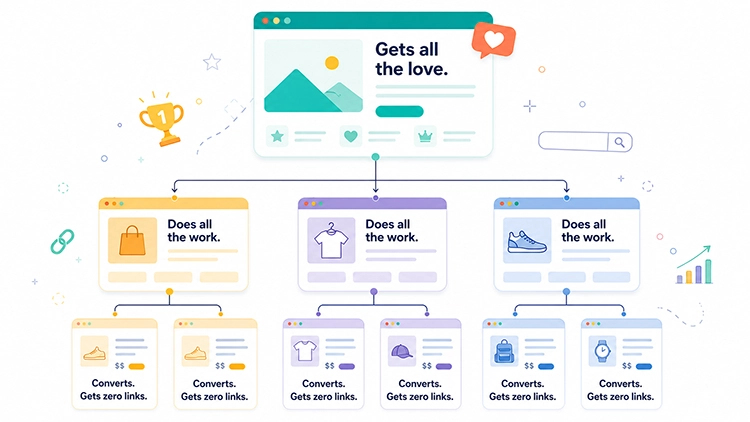
The four page types and the linking logic between them
Once you’re clear on what internal linking is supposed to do, the next question is simple: which pages should be passing signals to each other, and how?
An eCommerce store isn’t a uniform mass of pages. There are four distinct types, and each plays a different role in the linking system. Conflating their logic is the most common mistake whenever anyone tries to “optimize” internal linking.
Homepage. Usually the strongest page on the site in terms of both internal and external support. Most stores use it only to reach top-level categories through the nav. That’s correct — but the homepage’s job doesn’t end there. Links in editorial content blocks (promotional banners, curated sections, staff picks) add page-specific context that the navigation menu usually can’t — because they look like deliberate choices rather than template scaffolding.
Category pages. The most underestimated page type in the entire system. A category receives authority from above (the homepage) and passes it downward (to products and subcategories). But most category pages receive links from nothing except the nav. If the blog never links to categories, the strongest pages keep most of the SEO support, while the pages that actually convert stay under-supported.
Worth noting separately: many eCommerce category pages include editorial copy at the top or bottom. That copy is the ideal place for contextual links to subcategories and for links to relevant blog content. A two-way link relationship between a category page and a blog post is one of the most consistently underused moves in eCommerce SEO — it helps search engines understand how the topic is structured across the site.
Product pages (PDP). Most teams approach PDPs with one question: what should we show next to the product to increase average order value? The SEO question is different: where does this page link to, and what does that tell search engines about its place in the catalog? A PDP that links nowhere except the breadcrumb is a dead end without context. A PDP that uses natural copy — “Works best with,” “From the same collection” — to link to related products and back to its parent category is a node in a network that’s easier to interpret and crawl.
One more thing: blog posts rarely link directly to specific PDPs, and that’s usually the right call. But a link from a review or comparison piece to a specific product, when it’s genuinely relevant, is perfectly reasonable.
Blog / editorial content. This is where most eCommerce stores have untapped potential they’re not using. The blog exists. Posts go up. But they don’t lead readers anywhere near a category or subcategory — or if they do, it’s to the homepage or the broadest possible section, not to the specific pages that match the article’s context.
A well-structured blog doesn’t just collect informational traffic. It does real work for high-intent pages that rarely receive enough linking support on their own. Every informational post that performs in search becomes an internal asset. If it links to a category or product page, part of that relevance flows there too. Without those links, it stays on a page that doesn’t convert.
The mistakes that keep most eCommerce stores stuck
Before getting to the system, it’s worth pausing on what’s actually happening at most stores — and why internal linking doesn’t work there, even when the team thinks it does.
The blog runs parallel to the store. They’re the same website, technically. But editorially, they’re managed as separate worlds — so links between them rarely become part of the publishing routine. The result: blog traffic exists, content investment exists, benefit to revenue-driving pages — zero.
The “related products” block looks like internal linking, but it’s a completely different tool. Across Shopify, WooCommerce, Magento, and similar setups, related-product blocks often depend on theme logic, tags, collections, or plugins. That can work well for UX, but it doesn’t automatically align with SEO relevance. If you haven’t configured that block with search intent in mind, it’s probably not doing what you think.
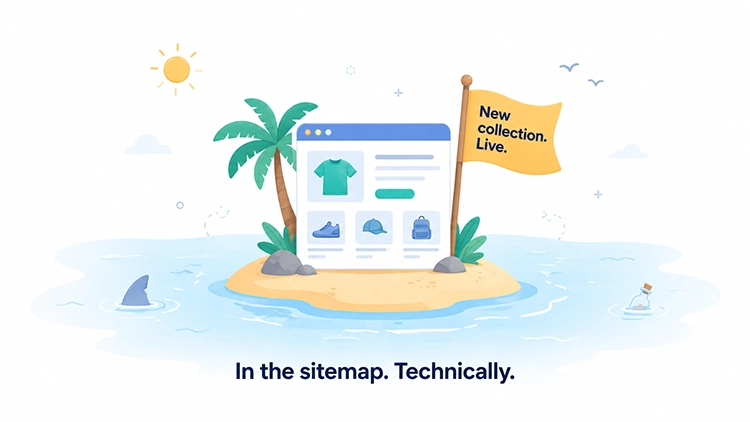
New pages go live without any inbound links. The pattern usually looks like this: a children’s clothing store launches a seasonal collection in February. The team adds the page to the catalog, confirms it’s in the menu and sitemap, then moves on to the next task. On paper, everything’s done. Structurally, the page is still disconnected from the rest of the site.
In one anonymized audit of exactly this kind of store, the collection page was in the nav and the sitemap, but not a single blog post or adjacent category linked to it. Three links added — from relevant posts and from the parent category — and six weeks later the page was appearing in the top 20 for its target queries. Not from zero to page one, but from “essentially invisible” to “starting to pull traffic.” That’s what the difference between having a system and not having one looks like in practice.
Anchor text is always “here” or “learn more.” A neutral anchor doesn’t hurt, but it doesn’t help either. If the anchor says nothing about where the link goes, no useful signal gets passed — and this matters most for pages that are already short on authority.
Faceted navigation is its own headache. Most stores either canonicalize all filtered pages back to the parent category (and lose long-tail traffic potential) or index all of them (and create a duplicate content problem). Internal linking plays a role here too: if a specific filtered page deserves to be indexed and has real search demand, it needs links from relevant content — not just to be technically accessible through a filter.
Build the system, not the to-do list
Most internal linking “optimizations” look like a one-time project. Someone runs an audit, writes a plan, the team spends a week placing links, and that’s it. A year later the situation reverts — new pages have accumulated, old links are stale, the blog is back in its own world.
The real issue is usually not knowledge. It’s ownership. The content team owns the blog, the merchandising team owns categories, and SEO notices the gap only after rankings stall. A working internal linking system assigns the link check to the workflow, not to someone’s memory.
A system is what happens when internal linking occurs as part of what the team already does. Not a separate process — a few rules baked into existing workflows.
Rule for publishing a new blog post. Before it goes live, one check: which two or three category or product pages can this post naturally link to? Not “where can we squeeze a link in,” but where in the text is there a genuine moment to send the reader somewhere relevant. A post about “how to choose a coffee maker” links to the Coffee Makers category, possibly to the Pod Coffee Makers subcategory, and if it exists — to a relevant comparison piece. Nothing complicated. But it has to be a rule, not something that happens when an editor is in the mood.
Rule for launching a new category or collection. Before it goes live, minimum three inbound links from existing pages. Where to get them: the parent category (in a text block or editorial section), one or two of the most relevant blog posts (add the link to existing copy), and if applicable, an adjacent category. This takes twenty minutes. Without it, the new page launches without any internal support — technically live, structurally isolated.
Rule for category pages with editorial copy. If a category has editorial text — and it should; that’s a separate conversation — that copy needs to link to one or two subcategories and to at least one relevant blog post. A two-way relationship between a category page and the blog helps search engines understand how the topic connects across the site.
Rule for PDPs. “Works best with,” “Complete the look,” “From the same series” — these blocks should be semi-manual for at least the top 20% of SKUs by traffic and transactions. For the rest, automation is fine, but configured properly: by topical category, not just price range.
Rule for updating old content. Whenever an old post gets updated, check two things: do the existing links still go to live, relevant pages, and have any new categories or posts appeared that would be worth linking to? That’s five minutes of work and it turns a routine content refresh into SEO activity with no extra cost.
How to find the pages that need links right now
Most teams discover the problem only after a new collection underperforms. The page is live, the products are available, the category exists in the menu — but organic visibility barely moves. Here’s how to find the underlying issues without expensive tools or a week of analysis.
Step 1 — Orphan pages in Google Search Console. Open Coverage or Pages (depending on your GSC version) and look at URLs with the status “Discovered — currently not indexed” and “Crawled — currently not indexed.” Some of these are technical issues. But some are pages Google found through your sitemap and simply didn’t consider important enough to index. Lack of internal links is one of the most common reasons — and one of the most fixable.
Step 2 — Pages with almost no inbound links. Use Screaming Frog (the free version handles up to 500 URLs) or any crawl tool. Run a crawl, filter for pages with zero to two internal inbound links, remove the homepage and any old pages with no traffic. What remains is your priority list.
Step 3 — High-intent pages that are stuck. In GSC → Performance, filter for pages with an average position between 8 and 20 and a meaningful impression count. These are pages search engines already consider relevant — just not strong enough for the top seven. Based on typical audit work, this is where additional internal links tend to show the earliest measurable movement. Going from position 12 to position 6 isn’t guaranteed, but it’s the right place to look first.
Step 4 — Blog posts doing only half their job. Find posts with zero or one link to a category or product page. If a post is already pulling traffic but not leading readers anywhere commercial, it’s working at half capacity. If there’s no traffic either, figure out whether the post is worth keeping before you start adding links to it.
Step 5 — Prioritize, don’t boil the ocean. Pick the ten revenue-driving pages you most want to grow — or the ones already close to the top for important queries — and find three to five places on the site where you can add a link to each one. That’s your plan for the next two to three weeks.
Anchor text: the part where most teams lose the signal they were trying to send
Neutral anchors — “here,” “learn more,” “click,” “see all” — aren’t a mistake, exactly, but they’re wasted opportunity. A neutral anchor tells search engines nothing about where the link goes. It’s like addressing an envelope with the word “letter” instead of writing the actual address.
Over-optimized anchors are a real risk in the other direction. If every link to your “Nike Running Shoes” category uses the anchor “buy Nike running shoes cheap,” that looks like manipulation. Search engines can recognize the pattern, especially when it repeats across dozens of pages sitewide.
The right approach is varied, descriptive anchors. The anchor answers the question “where does this link go and what will the reader find there” — but phrased differently each time. “Men’s winter jackets,” “winter jacket collection,” “cold-weather outerwear,” “jackets for winter hiking” — all natural, all giving search engines something to work with, none of them looking like mechanical optimization.
There’s one more nuance that rarely gets its own paragraph: the context surrounding an anchor matters as much as the anchor itself. The sentence the link sits in, the paragraph around it — all of it contributes additional context. A link with the anchor “winter jackets” in a paragraph about dressing for a ski trip carries a different implication than the same link in a paragraph about your return policy. It’s subtle, but it shows up in which queries search engines associate with the target page.
Navigational links vs. contextual links — why treating them the same breaks your logic
This distinction is probably the most important one in all of eCommerce internal linking, and it almost never gets said plainly.
Navigational links — the menu, breadcrumbs, footer links, pagination — appear on every page. They’re useful for users and search engines alike, but they’re identical across the entire site. The link from your nav to “Women’s Clothing” appears on all 10,000 pages of your store. Search engines understand that’s navigation, not a page-specific recommendation.
Contextual links — links inside body copy, in category editorial sections, in product descriptions — appear in a specific context and are unique to that page. Unlike sitewide navigation, they add page-level information that makes them more useful for communicating relevance between specific pages — for both users and search engines.
When a team says “we’re in good shape on internal linking — we have a menu and breadcrumbs,” that’s like saying “we’re in good shape on marketing — we have a sign above the door.” Technically true. Not the point.
The practical rule: navigational links are basic hygiene. Contextual links are where the actual work happens. The metric worth tracking: how many contextual links (not navigational) does each of your top 50 revenue-driving pages receive? If the answer is one or zero, that’s the problem.
The “hub and spoke” model, adapted for eCommerce
Hub and spoke is a classic content cluster model that got a lot of attention in SEO circles starting around 2018–2019. The idea is straightforward: one central “hub” page surrounded by “spoke” pages that go deeper on subtopics. Every spoke links to the hub; the hub links back to every spoke.
In eCommerce, the model needs to be adapted rather than copied wholesale from content marketing. The key difference is one thing: the hub doesn’t have to be a blog post.
In eCommerce, the hub can and should be a category page. Spoke pages are subcategories, top-selling products, and the blog posts that support the category’s topic.
Take “Coffee Makers” as an example:
- Hub: the Coffee Makers category page with editorial copy
- Commercial spokes: Pod Coffee Makers, Bean-to-Cup Coffee Makers, Portable Coffee Makers
- Editorial spokes: “How to Choose a Coffee Maker,” “Pod vs. Bean-to-Cup: A Comparison,” “Best Home Coffee Makers in 2026”
Every spoke links to the hub. The hub links back to every spoke. The editorial spokes also link to the commercial spokes. The result is a dense topical network where search engines can clearly see that this site covers the coffee maker topic seriously and in depth.
Why this matters more now: Google has consistently moved toward evaluating how fully a site covers a given topic — not just whether individual pages are well-optimized. A site that covers “coffee makers” through a connected network of category pages, subcategories, and editorial content is easier to understand and trust than one where each page stands alone. Internal linking is the infrastructure that makes that structure legible.
What the data actually looks like when this works
Four effects show up in sequence — and all of them are visible in GSC without any third-party analytics layer.
First: the number of indexed pages increases with no technical changes. Simply because crawlers are now finding links to pages they weren’t reaching before.
Second: pages stuck in “Crawled — currently not indexed” gradually move into the index. Not all of them, but the ones where lack of internal links was the primary barrier.
Third — the most relevant from a business perspective: category and product pages that were stuck in positions 8–15 start to move once they have proper internal link support. The first measurable movement is usually easier to evaluate after several crawl cycles — weeks, not days. On sites where weak internal linking is the main constraint, this is typically where it shows up first.
Fourth: blog posts start showing more than just informational traffic — they begin having a measurable effect on high-intent pages. This shows up in GSC when you compare traffic to a category page before and after a few relevant posts started linking to it.
Typical timeline: first changes in Coverage — two to four weeks. First movement in rankings — several weeks to a couple of months. Full effect from a systematic rollout — three to four months. Slower than most tactics promise. More durable than most tactics deliver.
Where teams misread the results — and give up too early
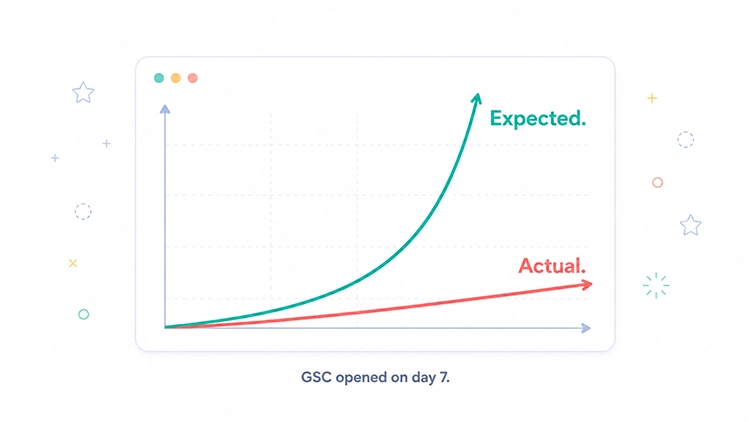
The disappointment usually comes too early. Links are added, the team opens GSC a week later, and the chart looks exactly the same. That’s not a sign it isn’t working — it’s a sign the cycle hasn’t completed yet.
Expecting results in a week. Internal linking operates through the crawl-and-reindex cycle. Crawlers have to find the new links, revisit the target pages in the new context, then factor that into how they rank. That takes time even for well-crawled sites.
Confusing navigation with contextual links. The team adds links to the footer and considers internal linking done. Or they set up breadcrumbs and feel covered. Navigational changes show up cleanly in crawl reports but have little effect on page-level relevance. In-content contextual links do.
Quantity over relevance. “We added 200 internal links” sounds like progress. But if 180 of them come from unrelated pages, carry neutral anchors, and sit in places where they feel forced, the effect will be minimal. Fifteen well-placed links from topically relevant pages with descriptive anchors will outperform two hundred random ones.
Ignoring mobile rendering. Some link-bearing blocks — sidebars, certain editorial sections — collapse on mobile or render below the main content. Google uses mobile-first indexing. A link that’s missing from the mobile-rendered version may not provide the same crawl or relevance value as one that’s visible and crawlable. Check via GSC → URL Inspection → View Crawled Page to see what Google actually sees.
Letting links go stale. Catalogs update, pages get renamed, products get discontinued. Internal links pointing to 404s or chains of redirects aren’t just technical untidiness — they’re a signal about the overall quality of the site. A quarterly crawl to catch broken internal links isn’t a luxury; it’s part of the baseline.
What changes when internal linking becomes infrastructure
Internal linking isn’t the kind of task you finish in a sprint and move on from. It’s a way of organizing a site so that important pages don’t live like separate rooms with no doors between them. Categories, products, editorial content, and filtered pages need to function as one connected system, not as adjacent warehouses that happen to share a domain.
The effects of getting this right rarely look like a dramatic moment. There’s no single day when traffic spiked and everyone knew internal linking was the reason. What happens instead: new collections become visible in search faster. High-intent pages that were stuck just outside the top ten start moving. The blog starts doing more than collecting informational traffic — it begins having a measurable effect on the pages that drive revenue.
And there’s one effect that takes longer to notice: technical debt accumulates more slowly. When there’s a rule that every new page needs at least three inbound links before launch, orphan pages stop building up on their own. When publishing a post includes a link check against category and product pages, the blog stops being an isolated asset.
That’s what separates sites that grow in organic search steadily and predictably from those that stall despite having decent content and a reasonable backlink profile. Not a secret algorithm advantage. Just fewer bad habits compounding quietly in the background.
Internal linking doesn’t need to become another quarterly cleanup project. It works best when it becomes a small, repeatable habit inside publishing, merchandising, and SEO workflows — something that happens automatically, not something that requires a reminder.
If your blog, categories, and product pages still operate like separate parts of the same site, Advantrise can help map the gaps and turn internal linking into a repeatable process. Get in touch.
Subscribe to our newsletter