
content
Filters are one of the best inventions in ecommerce. They turn a messy catalog into a short list and help a shopper feel in control. The catch is that a filter can also create a new URL, and a store can accidentally publish thousands of near-identical pages without noticing.
At Advantrise, we usually see this right after a site grows: more products, more attributes, more filter options. Suddenly, organic performance becomes “weird” – key category pages stop improving, impressions scatter across random URLs, and it is hard to explain why. This guide explains faceted navigation SEO in plain terms: keep filters for people, and keep the index focused on pages with real demand.
If you want the bigger Q1 context first, start with our SEO in 7 Days sprint. This article then shows how to protect your categories from turning into an index maze.
What the “URL chaos” problem looks like on a real store
Faceted navigation is the combination of filters and sorting that lets shoppers narrow down a category. Color, size, brand, price range, material, rating, availability, and then sorting by “best sellers” or “price: low to high”. One click feels harmless. Ten clicks create a path. Multiply that by thousands of users and you can end up with an ocean of URLs.
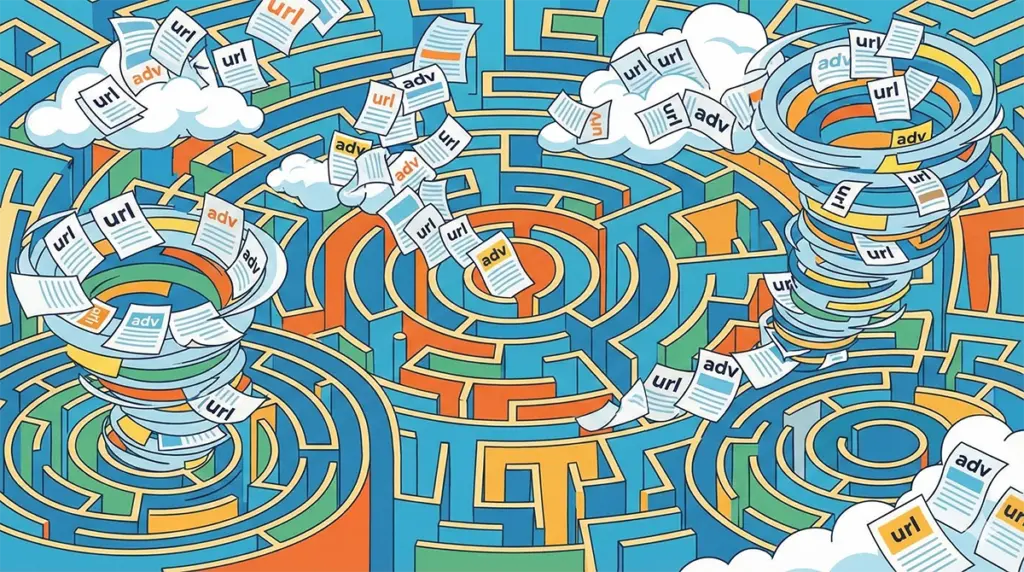
Why does it matter? Because Google does not want to rank ten pages that look 95% the same. When a store generates endless duplicates, the search engine has to guess which version is the main one. That guessing costs you visibility where it matters: on your core category pages and a small set of high-intent collections.
From a business owner’s perspective, the symptoms are familiar. The site still gets organic traffic, but growth slows down. Important categories do not move up. Meanwhile, Search Console shows many pages discovered and crawled, but not all of them are truly valuable. This is where filters stop being a technical detail and become a revenue topic – and it’s one of the most common findings in an eCommerce SEO audit.
Which filtered pages can actually earn search traffic
Not every filter combination deserves to be a landing page from Google. Most are useful for navigation and should stay that way. The filtered pages that can make sense for SEO share two traits: stable demand and enough inventory to be helpful.
Stable demand means the query is not a one-off whim. A buyer searches it repeatedly across seasons. Enough inventory means the page does not feel empty. If the filtered page shows five products today and two products next week, it is a shaky SEO target.
A simple alternative is often better: if you know a specific filter pattern matches meaningful demand, create a clean subcategory or collection for it. That gives you a stable URL, clearer internal linking, and a page you can improve without relying on a fragile filter state.

The rule of thumb: index a few, keep the rest for navigation
The goal is not to kill filters. The goal is to decide which pages are candidates for ranking and which pages are just a shopping tool. A practical range for most stores is to keep 5 to 20 indexable facet combinations per important category. Not as a law, but as a sanity check. If you have hundreds of indexable variants per category, you likely have index bloat.
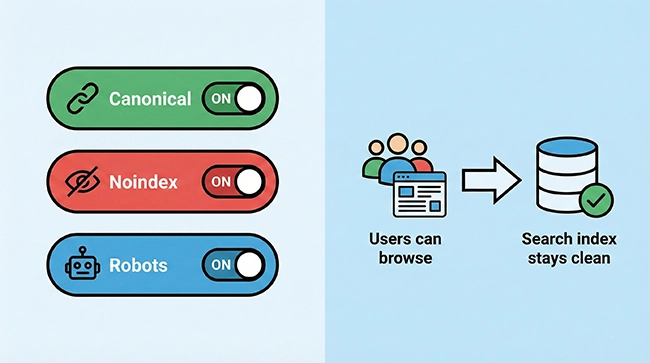
This approach keeps your UX intact. Shoppers still filter, sort, and browse freely. You are only changing what search engines treat as standalone pages worth showing in results. Your catalog remains flexible, while your index stays intentional.
If you work with an ecommerce SEO agency or run ecommerce SEO audit services internally, this is one of the fastest places to reduce noise. It also protects category visibility during growth seasons when catalogs expand and promotions add even more URL variants.
Three control levers: canonical, noindex, and robots in plain English
You do not need a dictionary of SEO terms to manage faceted navigation. You need three levers and a clear rule for when to pull each one. Think of these as traffic signs for search engines.
- Canonical: Use this when a filtered page is almost the same as the main category. Canonical tells search engines which version is the primary one to index and rank.
- Noindex: Use this when a page is useful for shoppers but not a good standalone search result. Noindex keeps it accessible on-site while discouraging indexing.
- Robots: Use this for true technical noise at scale: parameters that generate endless combinations, internal search results, or sorting states that should not consume crawl attention.
The key is not to apply these blindly. Start with your top categories, decide which filtered pages deserve to be SEO landing pages, and then apply the same rule consistently across the site.
How to confirm the setup is working
After changes, you want a quick way to confirm you improved the situation without breaking shopping. Start with a simple “site:” search and look at what shows up. If you still see endless parameter URLs that do not look like meaningful pages, you have more work to do.
Next, open Search Console and focus on the pages report. Look for patterns like “duplicate without user-selected canonical” or a large volume of crawled but not indexed pages. Some of that is normal. But if most discovered URLs are filter states, your important pages are competing for attention.
Finally, check user behavior. In GA4, watch engagement on key categories and the conversion path. Your goal is not to reduce filtering; it is to keep it helpful. If filter usage drops sharply or exit rate spikes, you may have blocked something users needed.
Common mistakes and what they cost you
The most common mistake is overcorrecting. Some stores panic about duplicates and close everything. That can remove pages that actually match demand and hurt discovery. The opposite mistake is doing nothing: leaving every filter and sort parameter indexable, which creates index bloat and spreads authority thin.
Canonical tags are also easy to misuse. If you point everything to the wrong canonical, Google may keep selecting versions you did not intend, or it may ignore the signal. And if a platform update changes URL structures without proper redirects, a store can lose accumulated visibility even if the content is still there.
Most issues are fixable, but they need a policy: which facets are SEO assets and which are navigation-only. Without that policy, every catalog change quietly adds more noise.
Conclusion: filters are for people, the index is for demand
A healthy ecommerce site lets shoppers filter freely, but it does not ask Google to rank every possible filter state. When your index focuses on a small set of pages that match real demand, your strongest categories become stronger and organic performance becomes easier to interpret.
If you want help applying this to your store, the fastest path is a focused audit: define which categories drive the business, select a small set of indexable facet pages, and clean up the rest with the right signals. This is often where an SEO and PPC agency adds value, because it connects technical fixes to performance outcomes.
If you are considering ecommerce SEO services, SEO and PPC services, or support from an ecommerce PPC agency that also understands site fundamentals, Advantrise can help you build a setup that scales cleanly. Contact our team: Advantrise contact
Subscribe to our newsletter