content
If you run ads on Google and something about Search has felt different lately — but you can’t quite put your finger on what — you’re not alone. Google has been gradually changing the surface where ads live. Instead of the familiar ten blue links, an AI-generated answer increasingly appears at the top of the page. And ads now show up not just next to it — but inside it.
At the start of 2025, ads appeared alongside AI Overviews in about 3% of results. By November of that year, the number was 40%. That’s a fast shift, even by Google standards. Staying ahead of these changes is part of what professional Google Ads management looks like in 2026 – the placement landscape is moving faster than most account settings can keep up with on autopilot.
This article on the Advantrise blog pulls together what advertisers need to know about this new placement: how it works, who’s eligible, what Google still won’t let you control, and what to do about all of it in practice.
Three ad positions — and why the third one matters
Ads around AI Overviews come in three flavors. The first two — above and below — behave like standard ad blocks: one sits on top of the AI answer, the other beneath it. Familiar mechanics, nothing fundamentally new. Both are available in all 200+ countries where AI Overviews exist.
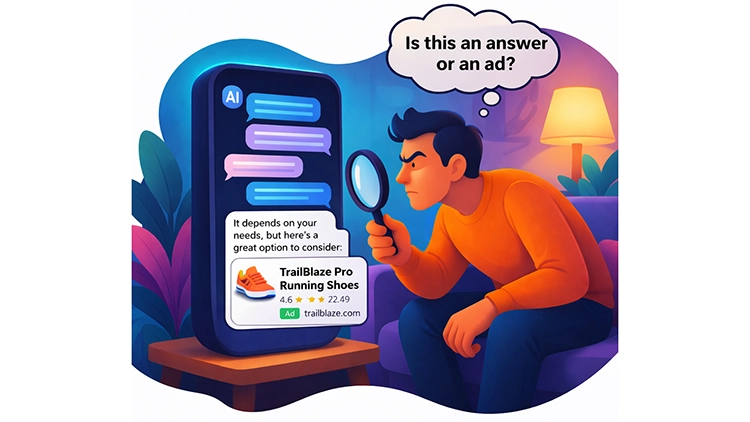
The third is more interesting. Google calls it within — ads embedded directly inside the body of the AI-generated answer. Inside the text Google wrote for the user. The user is reading an answer, and partway through, a contextually relevant ad appears woven into the content — a dynamic that’s unlike anything Search ads have offered before.
Within-placement currently works only in English, on mobile and desktop, in twelve countries: the US, Australia, Canada, India, Indonesia, Kenya, Malaysia, New Zealand, Nigeria, Pakistan, the Philippines, and Singapore. This is from Google Ads official documentation, current as of March 2026.
How often does Google actually show within-placement ads? In November 2025, monitoring platform Adthena scanned 25,000 search results and found 13 instances. Thirteen. Out of twenty-five thousand. That’s a 0.052% frequency — a number that says two things at once: Google is extremely selective about where it inserts ads into AI answers, but the mechanism is already running in production. The direction is set.
Who’s eligible — and who’s locked out
There’s one non-obvious detail here that’s easy to miss if you only read Google’s announcement headlines.
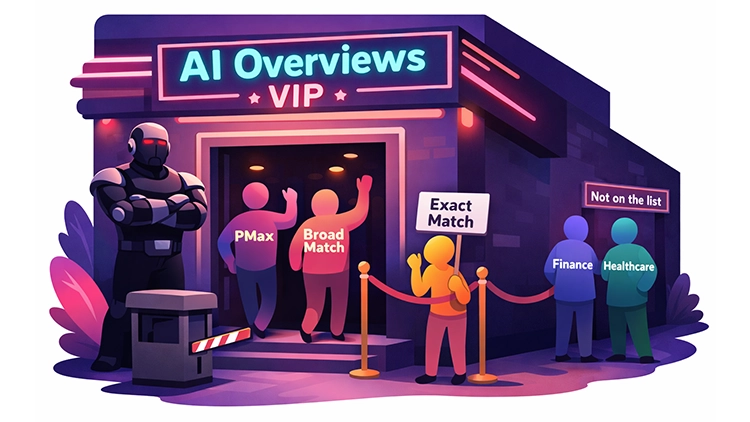
Not all campaign types have access to within-placement. The eligible ones are Performance Max, AI Max for Search, Search campaigns with Broad Match enabled, and Shopping campaigns. If you’re running a standard Search campaign on Exact or Phrase Match only, with no Broad Match — your ads can’t appear inside an AI Overview. They just can’t. Google confirms this in the documentation, though it doesn’t exactly put it in bold.
The reason makes sense. AI Overviews tend to trigger on long, conversational queries — “why is my pool green and how do I clean it,” not “pool cleaner buy.” Exact Match won’t cover that kind of query. Broad Match will. PMax and AI Max will, since they work with a broader understanding of intent.
There’s one more restriction: Google doesn’t show ads in AI Overviews for what it calls sensitive verticals — adult, alcohol, gambling, finance, healthcare, politics. If your business is in finance or healthcare, you’re fully excluded from within-placement regardless of campaign type or ad quality. A little ironic, given that those niches have traditionally carried the highest CPCs in Google Ads — but Google is clearly choosing to move cautiously here.
What Google won’t give advertisers (yet)
Every new Google ad product launches with plenty of enthusiasm in the announcements and some notable gaps in reality. Ads in AI Overviews are no exception. There are three things you can’t do yet, and it’s worth knowing about them upfront.
First: no targeting for AI Overview placement. You can’t select “show me in AI Overviews.” Google decides based on ad relevance, landing page quality, and the context of the AI answer. Your job is to make the campaign eligible and ensure quality. After that, you wait and see whether the algorithm picks you.
Second: no opt-out. If your campaign is eligible, it automatically participates. There’s no off switch. For most advertisers this isn’t a concern. But if you carefully control the context in which your brand appears, keep this in mind — your ad can end up inside an AI answer whose content you didn’t choose and didn’t review.
Third: no separate reporting. Ads in AI Overviews are counted as “Top Ads” in your regular Google Ads reports. You won’t see how many impressions or clicks came specifically from this placement. You can’t calculate its ROI in isolation. Google’s documentation says openly: “We are still learning and actively thinking about what the future of reporting looks like for this experience.” In other words, the feature is live, budgets are being spent, and the measurement tool is still on its way.
If you’ve read our breakdown of AI Overviews and the problems they create for marketers, you’ll recognize a familiar pattern: Google ships a new feature, advertisers adapt on the fly, and the controls catch up later. Not good or bad — just the rhythm to be ready for.
Why standard ad copy falls flat here
AI Overviews change not just where users see your ad — they change the state the user is in when they see it.
Here’s a real scenario. Someone searches “why is my pool green and how do I clean it.” Google generates an AI Overview that explains possible causes, recommends testing pH levels, mentions chlorination and mechanical cleaning. The person reads it. They now understand the situation. And at that moment, they see your ad.
If your ad says “Buy pool vacuum cleaner — 50% off — free delivery — shop now!” — it’s technically relevant. But it’s tonally off. The user just read a calm, balanced explanation, and now someone bursts in with a clearance sale. It’s not that the ad is bad. It’s that it doesn’t match where the user’s head is.
What works better: ad copy that acknowledges the user is already informed, and offers a logical next step. Not explaining from scratch — guiding. Something like: “Pool cleaning gear rated by 12,000 pool owners — see what matches your setup.” The difference in wording is small. The difference in whether someone clicks can be significant.
Google’s own recommendations say roughly the same thing, just in different words: “be the clear next step.” Ads in AI Overviews work not as a first contact, but as a continuation of the conversation AI already started.

AI Mode — the next chapter
Separate from AI Overviews, Google is testing ads inside AI Mode in the US — a full conversational interface where users ask complex questions, refine details, and narrow down topics across multiple exchanges.
The key difference from AI Overviews: AI Mode evaluates not a single query, but the full context of the conversation. A user starts with a broad question, refines it over several turns, and arrives at a specific product need — and that’s the moment Google can insert an ad.
For advertisers, this means even less control over the entry point. You don’t know at which turn in the conversation AI Mode will show your ad. You can only make sure your campaign is eligible and your copy works for someone who’s already deep into research.
Google hasn’t shared details on AI Mode traffic or conversion data yet. But the fact that ads are being tested there tells you the direction: search is becoming a conversation, and ad placements are moving with it.
What to do about all of this
This is the part that matters most. Things are shifting, and while nobody expects you to overhaul your entire account overnight, there are concrete steps worth taking now — before AI Overview ads scale further and the advertisers who moved first have all the performance data.
Step 1: Check your eligibility.
Look at your current campaigns and ask a simple question: can they even appear in AI Overviews?
- If you’re running PMax or AI Max for Search — you’re eligible. No action needed.
- If you’re running Search campaigns with Broad Match enabled — you’re eligible.
- If you’re running Shopping campaigns — you’re eligible.
- If all your Search campaigns use only Exact or Phrase Match with no Broad Match — you’re invisible to AI Overview placements. Not because your ads are bad, but because the campaign format doesn’t support it.
This doesn’t mean you should flip everything to Broad Match tomorrow. But it does mean you should know which of your campaigns have access to this inventory and which don’t — and make that a conscious choice rather than an accidental gap.
Step 2: Rethink your ad copy for an informed audience.
Standard sales-driven copy was designed for users starting from zero. AI Overview users aren’t starting from zero. They’ve already read an explanation. Your ad needs to meet them where they are. In accounts we’ve audited, the gap between generic and context-aware copy in AI Overview placements is often where the most measurable performance difference shows up.
A few principles that work in this context:
- Lead with specificity, not urgency. “Rated by 4,500 homeowners” beats “Shop now — 50% off.”
- Acknowledge that the user has context. Copy that feels like a logical next step converts better than copy that restates what the AI already explained.
- Think “bridge,” not “pitch.” Your ad isn’t the first thing they see — it’s the last thing before they decide. Make it count accordingly.
- Test different approaches for informational vs. transactional queries. A user who searched “how to insulate an attic” needs a different message than one who searched “buy attic insulation.”
Step 3: Set up text guidelines.
As of February 2026, text guidelines are available globally for all advertisers running AI Max or PMax campaigns. They give you two layers of control over AI-generated ad copy:
- Term exclusions — up to 25 specific words or phrases per campaign that must never appear in generated copy.
- Messaging restrictions — up to 40 concept-level and tone-level rules per campaign, written in natural language.
If Google’s AI is writing ad copy on your behalf — and in AI Max campaigns, it is — text guidelines are your guardrail. They won’t give you full creative control, but they’ll keep the output within your brand’s boundaries. Set them up before you scale, not after something goes wrong.
Step 4: Build a reporting workaround.
Google doesn’t offer separate metrics for AI Overview placement. That’s a limitation, not an excuse to fly blind. You can still get directional data:
- Compare your “Top Ads” metrics before and after enabling Broad Match. Any significant change in impressions, CTR, or conversion rate likely includes AI Overview traffic.
- Monitor new search terms that appear after enabling Broad Match or AI Max — long, conversational queries are a strong signal that your ads are being matched to AI Overview triggers.
- Use third-party tools like Adthena if you need visibility into where your ads actually appear on the SERP, including AI Overview placements.
- Track landing page performance for pages that align with informational queries. A spike in traffic to educational or comparison content can indicate AI Overview-driven visits.
It’s not perfect. But it gives you a working read on what’s happening until Google ships proper segmented reporting.
Step 5: Don’t wait for “final rollout.”
Within-placement is live in 12 countries. Ads appear alongside AI Overviews in 40% of results where they show up. Text guidelines are globally available. AI Mode is in testing with ads. This isn’t a beta. The infrastructure is already here — what’s changing is the scale.
Advertisers who adjust their campaigns, copy, and measurement approach now will have months of data and optimization behind them by the time this becomes the default Search experience. Those who wait for a formal announcement or a dedicated campaign type will be starting from scratch when everyone else has already figured out what works.
Need help adapting your campaigns for AI Overview placements or auditing your current Search strategy? The Advantrise team can walk through your account and show you exactly what needs to change — get in touch.
Subscribe to our newsletter